Proksee News
Proksee’s updated label system gives you more control over how feature labels appear on your maps. Choose between Classic and Adaptive placement, adjust label density, and access the main settings through a new popup beside your map.
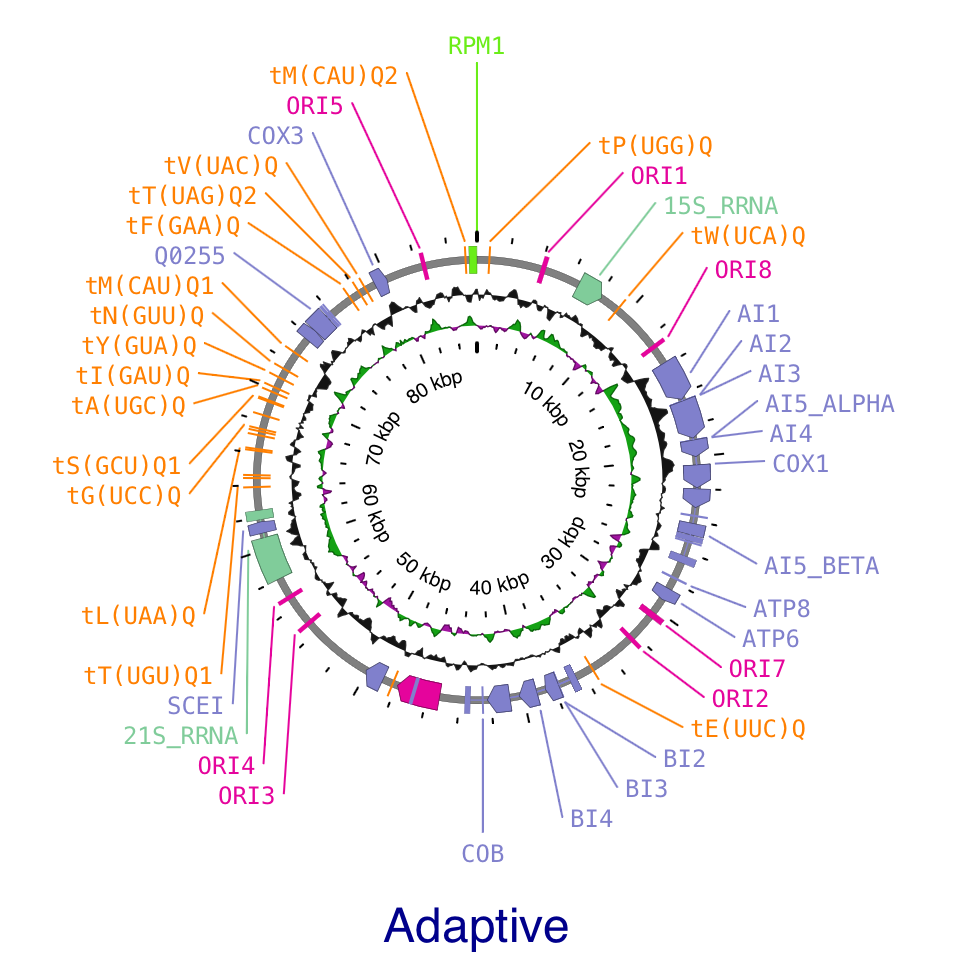
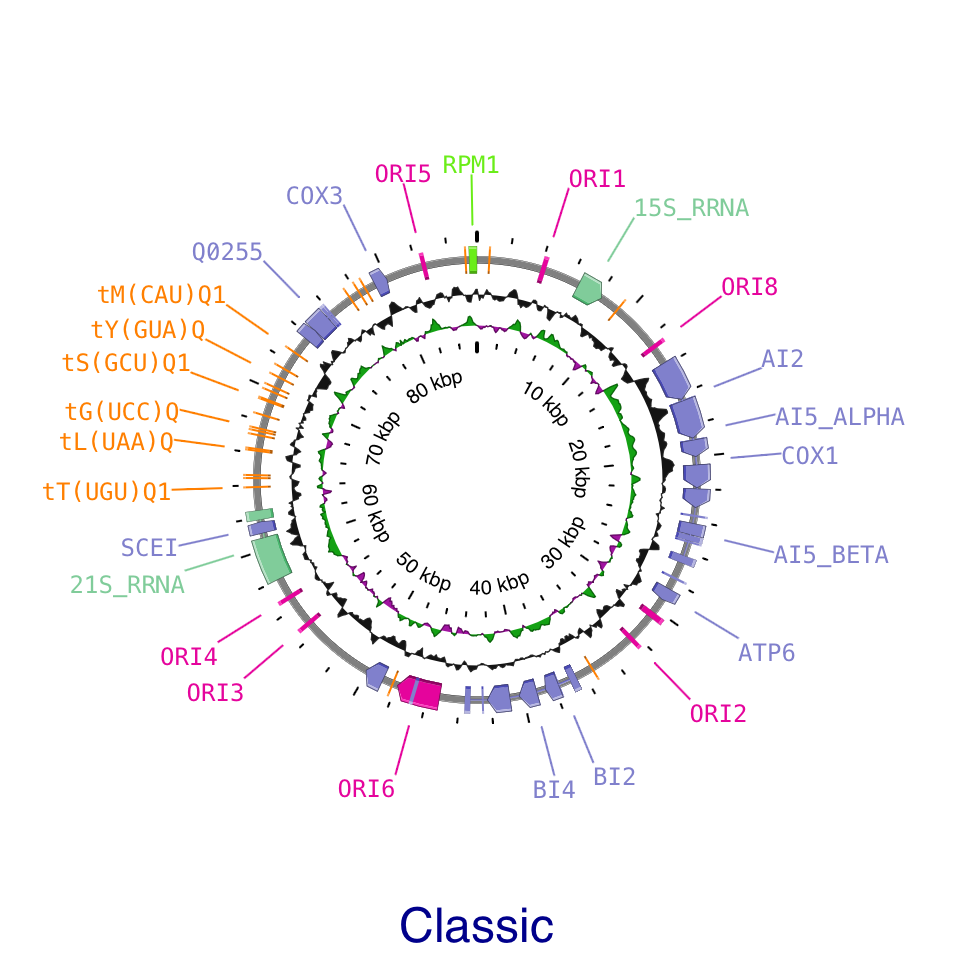
Adaptive adjusts label placement to the density of features and the available space. At low density, labels follow an oval around a full circular map. As density increases, crowded regions reorganize to fit more labels while less crowded regions can retain a simpler arrangement. Smooth transitions during panning and zooming make labels easier to follow as their positions change.
Classic uses straight leader lines and arranges labels in outward levels, providing a familiar layout for both circular and linear maps.
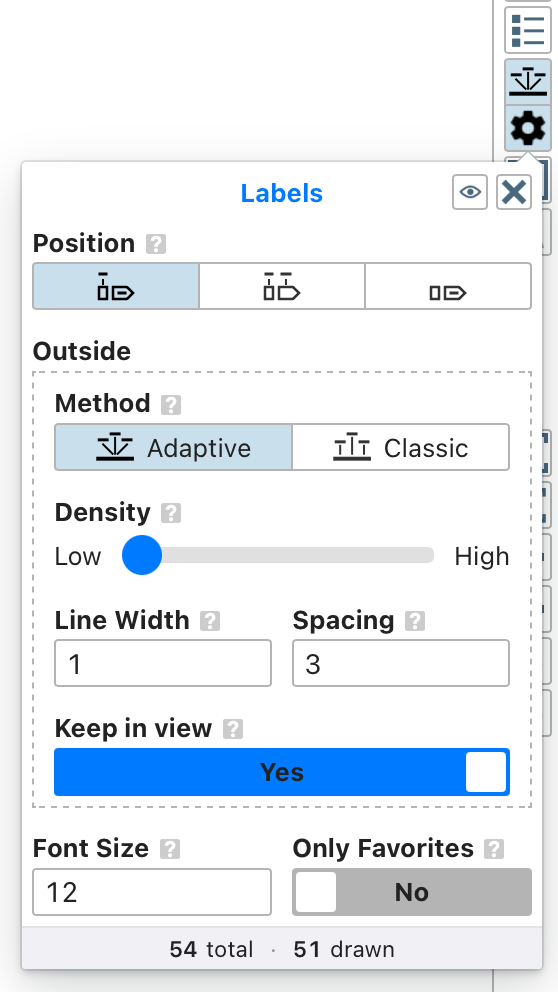
Both methods share a Density slider. Move toward Low for a cleaner layout or toward High to display more labels. You can also keep labels within the visible map area and adjust their spacing, font size, and leader line width.
Click the gear beneath the label visibility button to open the new settings popup. It provides quick access to the main label controls and shows the total number of labels and the number currently drawn. Click the Labels title to open the full settings in the sidebar.
Existing maps are updated automatically when opened: Default placement becomes Classic, and Angled placement becomes Adaptive. Adaptive is the default for new maps, and you can switch between the two methods at any time.